TLDR: This did not go well for anyone involved. I don't recommend it.
It's a learning experience!
The hardware that I am using for this is a 2018 Mac Mini. It has an i3 processor, with 4 whole cores, and 8 whole gigs of RAM. This was not a spec'd out computer in 2018, and it hasn't gotten any faster by sitting on a shelf. (it's probably too new for that. 🫡)
This 8 year old computer probably had no idea that it would be tasked with running a local AI model before it kicked the bucket.
I am using Mac OS for this, and running everything through the command line. Important tools are as follows:
brewcolimadockerollama
I first installed everything using homebrew.
brew install colima docker ollamaFirst I needed to setup ollama to run a local AI server:
OLLAMA_FLASH_ATTENTION=1 && ollama serveOLLAMA_FLASH_ATTENTION allows some newer models to make use of memory saving techniques.
This runs ollama in the foreground, so open a new terminal tab or window for these next steps.
You can also run ollama as a service in the background. Just follow the instructions from brew when you install it if that is what you want.
In the new session, I started up Colima so that my docker socket would work:
colima startThen I ran the docker container for open-webui with native local Ollama support:
sudo docker run -d -p 8080:8080 --add-host=host.docker.internal:host-gateway -v open-webui:/app/backend/data --name open-webui --restart always ghcr.io/open-webui/open-webui:mainOpen-WebUI allows me to manage my local LLM settings from a web page, manage models, connect to other cervices, and most importantly adds RAG, code interpretation, and file upload. ollama supports none of those tools out of the box, so this opens up a lot of options.
Once all this was setup, I downloaded qwen3:latest, uploaded some files, and let the Mac Mini think.
...
...
...
...
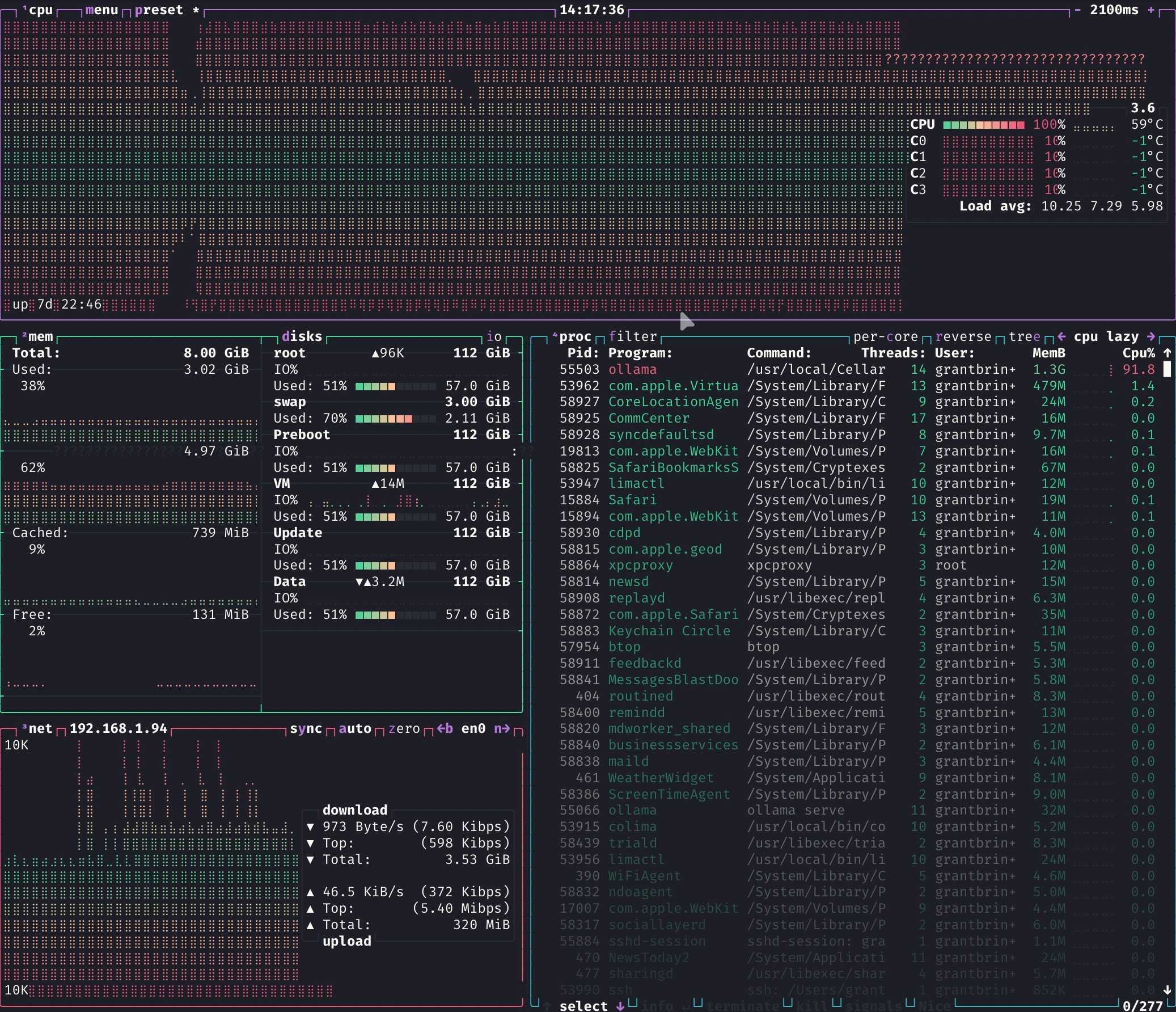
As can be observed from the image above, the poor Mac's aging and minimal hardware was no match for even a lightweight AI model. I was using a 5 GB model here, which is admittedly more than half of the system RAM, but it still was too much.
This is fascinating to me.
I doubt that I will continue to run the models this way, but I am documenting it here, and saving the steps that I took in case I get an M4 Mac Mini in the future. Or anything with an AI accelerator, really.
I think that's the biggest takeaway for me. As fast as the newer LLM's have gotten, they still are not fast enough to run accurately on such old, limited hardware. It's incredible what even a phone can do these days for running AI models, such that you can even ship laptops with a phone chip, like the MacBook Neo. But there are some hardware limits that will not be overcome by mere code optimizations any time soon.