I have been experimenting in recent days with running agentic LLM workflows, entirely locally, for pair programming applications.
In my experience, the performance of local models (if you have a fast computer with enough RAM) has improved dramatically in the last few months.
My weapons of choice are as follows:
- Hardware
- Mac Studio
- CPU: M1 Max
- RAM: 32 GB
- Storage: 512 GB
- Software
- LM Studio (Desktop GUI Application)
- Zed Editor (Desktop GUI Application)
LM Studio
LM Studio is available for Mac, Windows, and Linux. It comes with tons of quality of life features right out of the box, such as checking and updating runtimes, giving access to a curated list of models that will be performant on your computer, access to community models through Huggingface, MCP support, and a built in server.
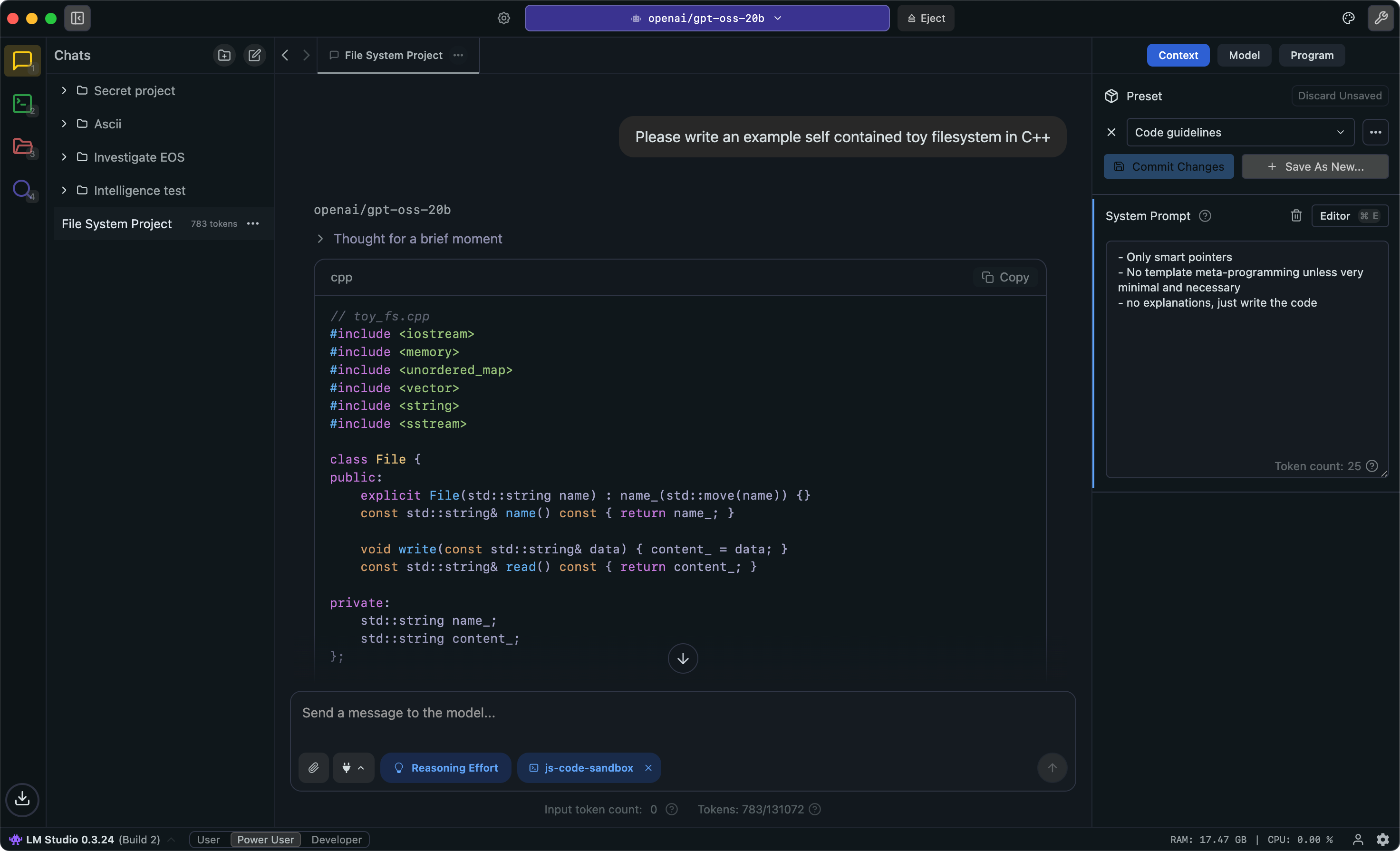
LM Studio defaults to showing you a list of available models that should run on your hardware, and brings built in support for GGUF models with GPU offload, and MLX models that use Apple's acceleration framework on Apple Silicon.
MLX models are fast, even when compared against GGUF models.
If you don't want one of the curated models from LM Studio's repository, you can also search for and download community models right within the app, with the same guides for model size and compatiblity.
LM Studio also supports MCP, letting you connect to other servers using the Model Context Protocol to expand its capabilities.
LM Studio has a built in server that is compatible both with the Claude API, and the OpenAI API. It serves on http://localhost:1234/api/v1 by default. This becomes a local endpoint that other services and applications can use as an "LLM Provider"
It does not seem to support skills, and its file access is limited to whatever you upload into the chat interface. You can add files to the chat context, but you are limited by context length and file type. This interface seems best suited to conversational interactions or chat-bot type functions.
Zed
Zed editor is the other half of this equation. Its an IDE written in Rust, so it is both fast and light on resources. Zed brings its own MCP, ACP (pioneered by the makers of Zed), Skills, plugins, and agentic access to the system terminal and files, along with deep git integration.
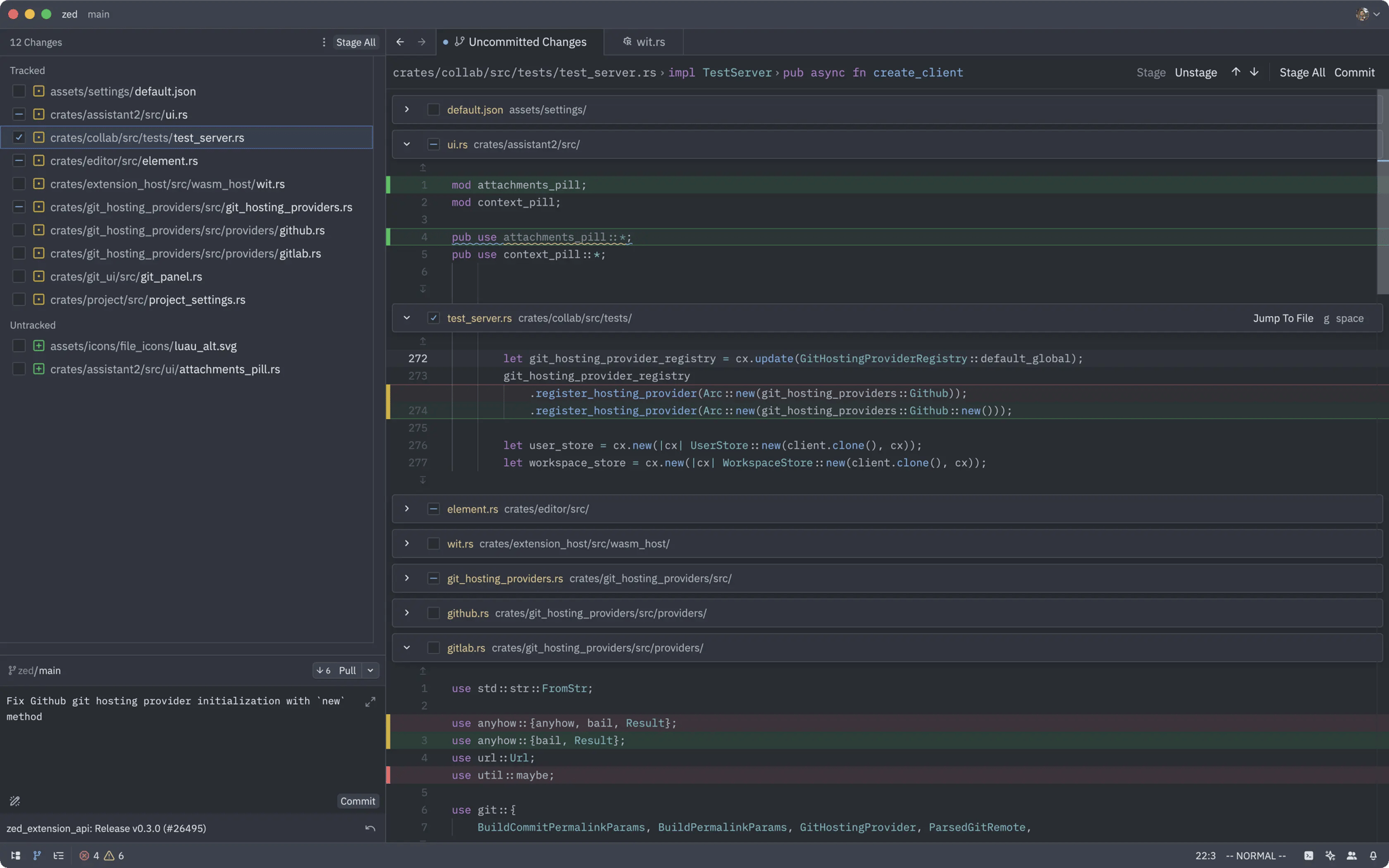
Zed adds an Agent Client Protocol (ACP) marketplace where you can browse plugins for other agentic harnesses, and providers, such as Codex, VT Code, OpenCode, and more. Or, you can always use Zed's built-in agent, which I have found to be capable enough on its own.
Zed also has a built-in skills marketplace, and also supports adding skills to a workspace under the agents/skills/ folder in that workspace.
Zed can be expanded to support many different coding languages and files types, using their built-in language servers.
One downside to Zed is that it's heavily project focused. Most of its AI features refuse to run unless you have a workspace initialized and either a folder or Git repository open. But if you do have a Git repository, this thing flies. It's built for working with code.
Tying it Together
Because Zed supports LM Studio as a local LLM Provider, we just need to setup that integration in Zed's AI settings. If you did not setup authentication, it should connect automatically as soon as you enable the integration.
Jump back to LM Studio, and download a model. I like Qwen 3.6 27B MLX, or Gemma 4 31B QAT MLX.
Back in Zed you should be able to open a new chat using Zed Agent, and select one of the models available in LM Studio. If you already have a repository open, ask it to describe the purpose of the repository for you. It should be able to ingest the files, figure out what's going on from comments and README docs, and give you an helpful answer that proves that its able to see your files, and understand what their contents mean.
It can also create new documents, draft design docs, make a project spec, fix errors, etc. etc. etc.
Where it gets even more interesting is when you add extensions. For instance, I was able to add a skill from Vercel that checks HTML and CSS for accessibility best practices.
In a separate instance, I was able to add an MCP integration that lets my local LLMs connect to our internal Graylog SIEM instance. This gives the LLMs the ability to parse our logs and surface helpful details that would otherwise lay dormant.
Zed for coding and agentic workflows, LM Studio for chat and information workflows.
Caveats
The same caveats apply here as apply to anything LLM based. The more popular and well documented the thing you are working on is, the better time you'll have using an LLM to assist you.
Projects that are not well documented, such as Prosody XMPP Server, will be far more difficult for an LLM to accurately assist with than something more well-known like NGINX or Apache.
If you use short, vague prompts, the bot is going to do things you don't expect, and waste everyone's time in the process.
If you are building for production, you shouldn't be asking the bot to do anything that you couldn't already do yourself. These tools are force multipliers not architects, designers, or engineers.